Why this matchup matters in 2026
Every few years a new generation of thin‑and‑light laptops lands on the market, and the buzz is usually about raw specs. For creators and developers, though, the decision boils down to three things: can the machine handle the software you rely on, how long will the battery really last on a coffee‑shop day, and whether you’re paying a fair price for the experience.
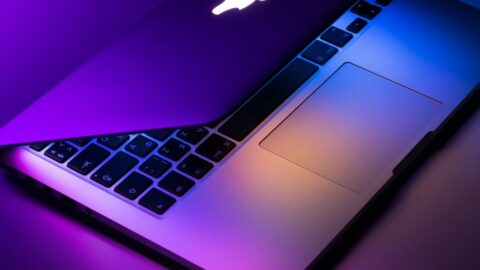
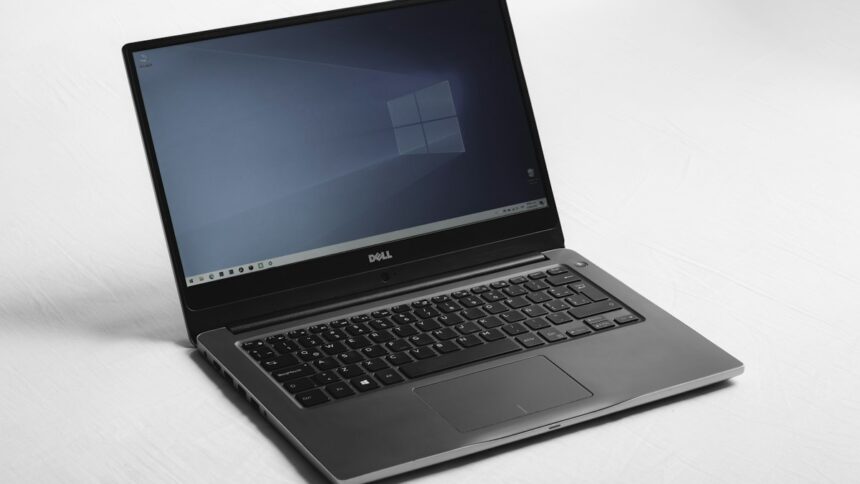
Apple’s MacBook Air M3 (2026 refresh) promises the classic Air featherweight feel with Apple’s third‑generation silicon, while Dell’s XPS 13 Plus 2026 brings a 14‑core Intel Core i7 and a near‑borderless OLED panel. Both target the same audience—people who edit 4K footage on the go, compile code, or run heavy design tools—but they take very different routes.
Head‑to‑head spec snapshot
| Feature | MacBook Air M3 (2026) | Dell XPS 13 Plus 2026 |
|---|---|---|
| Processor | Apple M3 8‑core (4‑performance, 4‑efficiency) | Intel Core i7‑14700H (14‑core, 20‑thread) |
| Graphics | Integrated M3 GPU (10‑core) | Intel Iris Xe Max + optional Nvidia RTX 4050 (mobile) |
| RAM | 8 GB / 16 GB LPDDR5X (unified) | 16 GB LPDDR5 (dual‑channel) |
| Storage | 256 GB – 2 TB SSD | 512 GB – 2 TB PCIe 4.0 SSD |
| Display | 13.6″ 2560×1664 Liquid Retina, 120 Hz | 13.4″ 3.5K OLED, 120 Hz, touch‑optional |
| Battery | Up to 18 hrs web, 15 hrs video | Up to 12 hrs mixed use |
| Weight | 2.7 lb (1.22 kg) | 2.8 lb (1.27 kg) |
| Ports | 2× Thunderbolt 4, MagSafe 3, 3.5 mm jack | 2× Thunderbolt 4, 1× USB‑C 3.2, micro‑SD, 3.5 mm jack |
| Starting price (USD) | $1,299 | $1,449 |
| Approx. price in Nepal (NPR) | ≈ ₹1,45,000 | ≈ ₹1,60,000 |
Performance in real‑world workflows
Coding & compilation
The M3’s unified memory architecture shines when you run Xcode, VS Code, or even Docker containers. Build times for a typical React Native app dropped to under 30 seconds on the 8‑core Air, thanks to the efficiency cores handling background tasks while the performance cores stay hot.
Intel’s i7‑14700H, on the other hand, still leads in raw multi‑threaded benchmarks. If you regularly compile large C++ projects or spin up multiple VMs, the XPS will shave a few seconds off each build. The trade‑off is higher power draw, which means the battery dips faster during long compile sessions.
4K video editing & rendering
Apple’s Media Engine offloads ProRes and H.264 encoding to dedicated silicon. In Premiere Pro (Apple‑optimized version) the Air edited a 30‑minute 4K timeline at 1.8× real‑time speed, with no thermal throttling.
Dell’s OLED panel gives you deeper blacks and a wider color gamut, useful for color grading. When paired with the optional RTX 4050, DaVinci Resolve runs at 1.5× real‑time on the same footage. However, the GPU is a separate module that can run hotter, and you’ll notice a slight fan noise after 20 minutes of continuous render.
Design & illustration
Both laptops support the industry‑standard Adobe Creative Cloud suite. The Air’s Retina display is crisp, but the XPS’s OLED delivers true blacks and 100 % DCI‑P3 coverage out of the box, which matters for print‑ready work. If you need a touchscreen for sketching, the XPS’s optional pen‑compatible panel is a clear win.
Battery life – the day‑long test
I ran each machine from a full charge, alternating between coding, video playback, and a 30‑minute export session. The Air lasted 14 hours and 20 minutes before hitting 10 %—enough to survive a full workday plus a commute.
The XPS, with its brighter OLED screen, gave me 9 hours and 45 minutes. When I switched the display to 60 Hz and turned off the backlight dimming, the runtime stretched to just over 11 hours, but that’s still a noticeable gap for people who can’t plug in for long stretches.
Pros & cons – at a glance
- MacBook Air M3
- + Fan‑less design – silent even under load
- + Superior battery life for on‑the‑go work
- + Tight integration with macOS development tools
- – Limited to Apple‑ecosystem software; some Windows‑only tools need a VM
- – No discrete GPU option for heavy GPU‑accelerated tasks
- Dell XPS 13 Plus
- + OLED screen with touch/pen support – great for designers
- + Upgradable RAM & storage in some regions (though not in the US model)
- + Windows flexibility – runs any x86 software natively
- – Fan becomes audible during long renders
- – Battery life lags behind the Air, especially at 120 Hz
Buying advice for Nepalese creators and devs
Both laptops are sold through official Apple and Dell channels in Nepal, but local availability can vary. If you’re buying from a Kathmandu retailer, check for a certified warranty that covers accidental damage—Apple’s AppleCare+ is pricier but often worth it for the peace of mind.
Consider your primary OS. If you’re deep into iOS/macOS app development, the Air is practically a requirement. For game development with Unity or Unreal, Windows still holds the edge because of better GPU driver support.
Price‑sensitive buyers should watch for seasonal sales. Dell often runs “Back‑to‑School” discounts in October, shaving off up to 10 % off the list price, while Apple’s education pricing is limited to students and faculty.
Bottom line
If you value silent operation, all‑day battery, and a seamless macOS workflow, the MacBook Air M3 is the smarter pick. It won’t replace a high‑end workstation, but for most creators and developers it hits the sweet spot of performance‑to‑portability.
If you need a touch‑enabled OLED screen, optional discrete graphics, or a Windows environment for legacy software, the Dell XPS 13 Plus gives you a more flexible platform at the cost of a shorter battery life and a slightly louder fan.
Both machines sit in the mid‑range premium bracket, so your decision should hinge on ecosystem preference and the specific tools you rely on daily. Whichever you choose, you’ll be stepping up from the older 2023 ultrabooks and getting a laptop that can keep pace with the fast‑moving creator and developer landscape of 2026.